Open the assembled project, record the update, review, and publish.
ClearWarn Automation
Turn changing weather into ready-to-publish content.
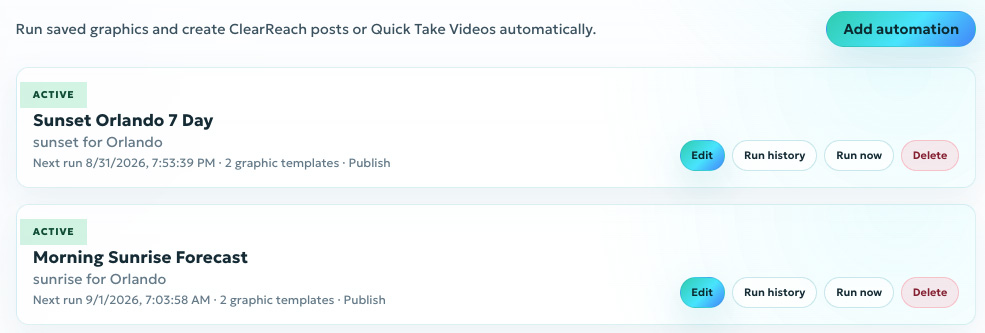
Schedules and weather conditions can trigger branded graphics, prepare a Quick Take, or create a social media post. Your team decides which workflows wait for approval and which publish automatically.
One trigger. Two content paths.
VideoPrepared Quick Take
SocialDraft social post
- TriggerA schedule or configured weather condition starts the workflow.
- GenerateSaved templates run with current weather data and your branding.
Review and edit before publishing, or let an approved workflow post automatically.
Automated video production
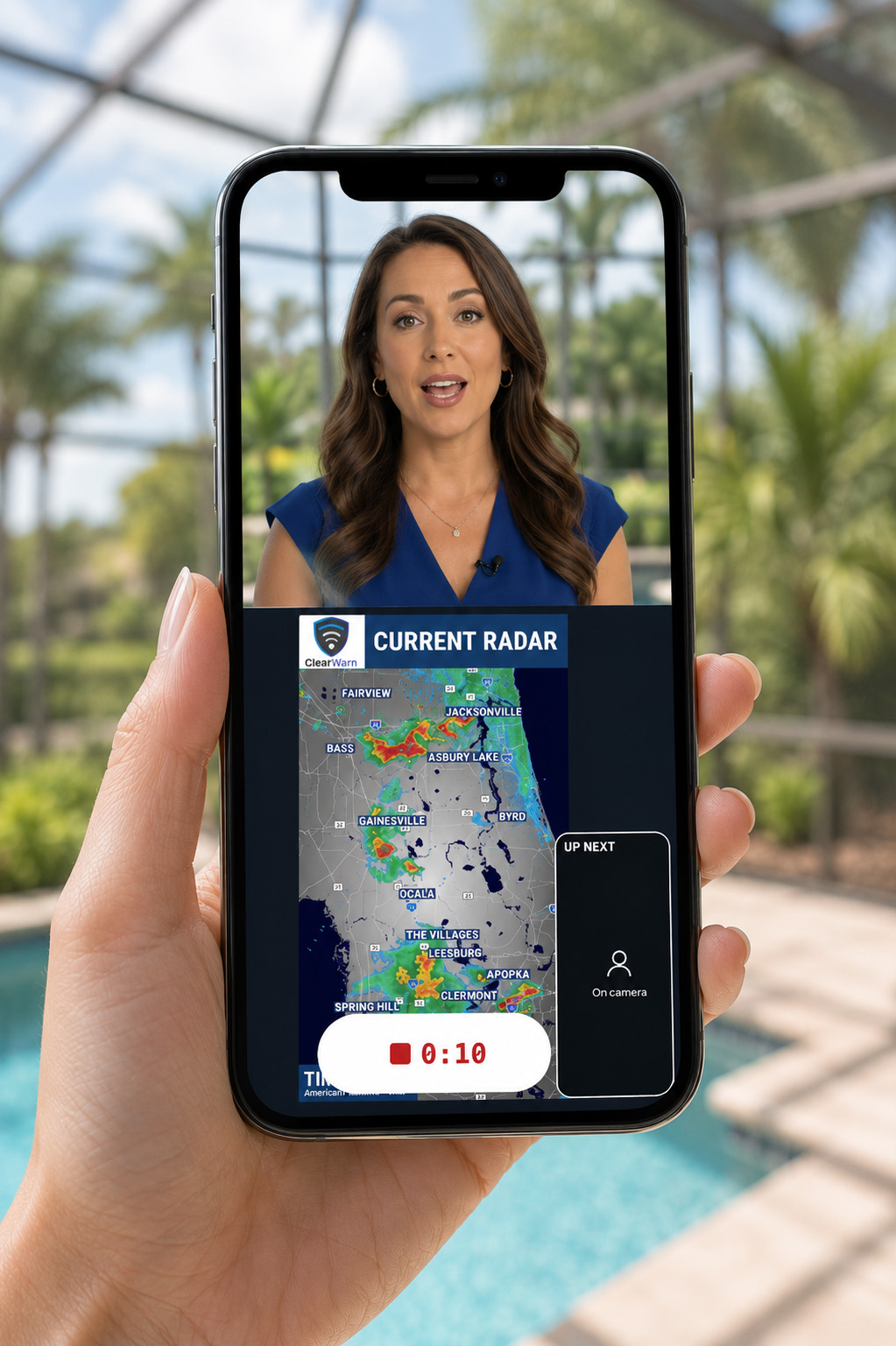
Open a weather story that is ready to record.
ClearWarn runs the configured graphics, places them into presentation order, and builds a draft Quick Take before the meteorologist opens the project.
Instead of assembling every update manually, the presenter can review the prepared story, record the on-camera update, and publish a broadcast-quality video in minutes.
Explore Video Production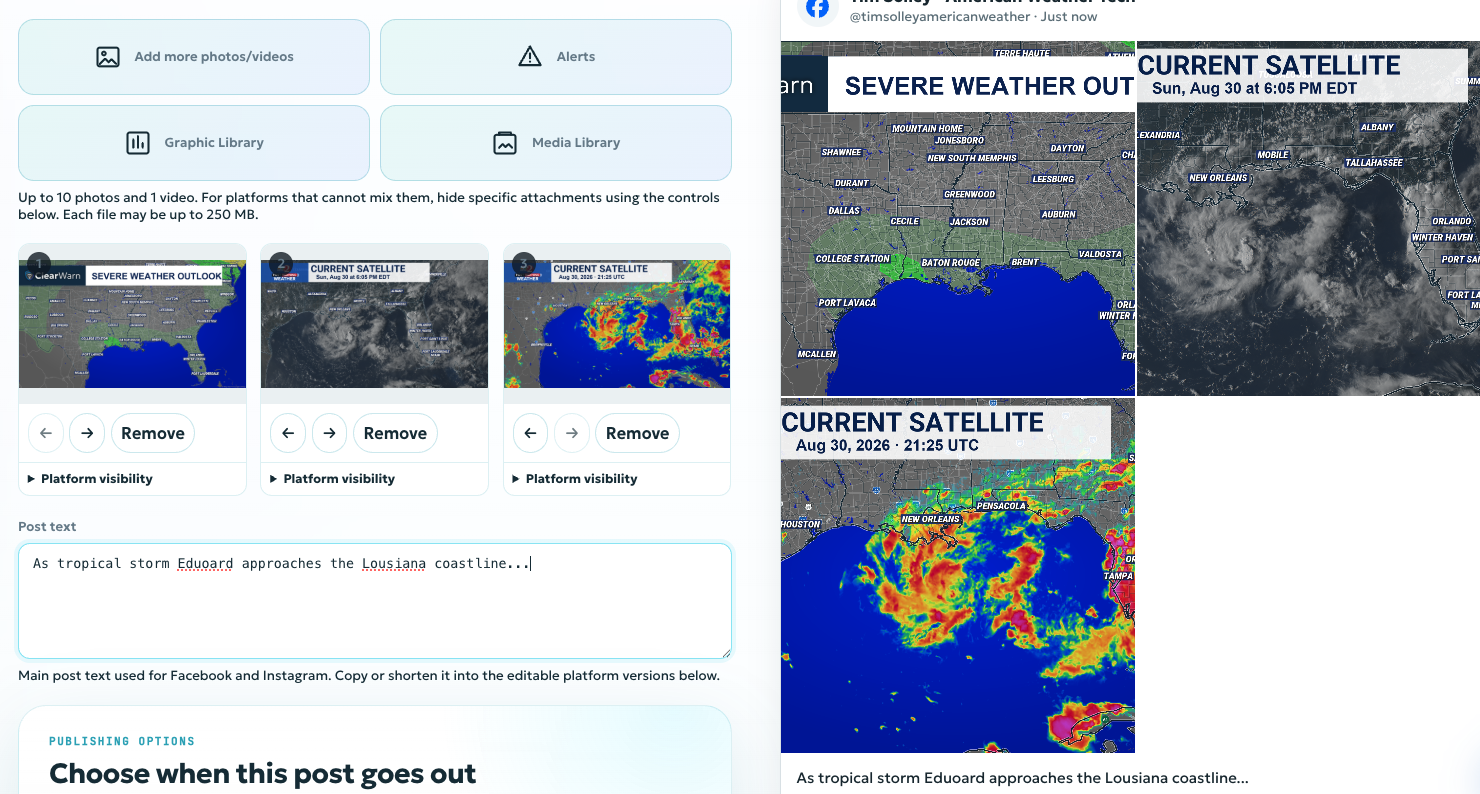
Automated social publishing
Generate the post, not just the graphic.
An automation can create the current weather graphics, prepare the accompanying post copy, and select the configured social destinations through ClearReach.
Keep the result as a draft for approval and editing, or allow a trusted workflow to publish automatically when speed and consistency matter.
Explore ClearReach
Control at every step
Choose how each workflow reaches your audience.
Routine and urgent content do not need the same review process. Configure the level of control that fits each automation.
Approval required
Generated posts wait as drafts until an authorized team member reviews and approves them.
Edit before publishing
Adjust the copy, graphics, timing, and destinations while keeping the generated content as the starting point.
Automatic publishing
Let trusted automations publish immediately to configured accounts without a manual production step.
Flexible triggers
Start with the clock or the weather.
Build routine publishing schedules and condition-driven workflows around the same saved templates and brand system.
- Recurring forecast and content schedules
- Changing weather conditions and thresholds
- Active alerts and severe-weather events
- Configured forecast and observational data
One connected system
Automate the repetition without losing control.
Consistent branding
Every generated graphic, video project, and social post begins with the templates your organization approved.
Faster communication
Move from changing conditions to audience-ready content without rebuilding the same production steps.
Human review where needed
Keep sensitive workflows under editorial control while automating routine work.
Hands-off publishing
Allow trusted workflows to deliver timely content even when your team is focused elsewhere.
Build the automation around your weather workflow.
Prepare video, generate social posts, and choose exactly where human review belongs.