Desktop-style editing in your browser
Move, resize, layer, and adjust elements directly on the canvas, just like a familiar image editing program.
SmartLayouts give you full control over the look of alerts, forecasts, radar, weather graphics, and social content. Set the type, colors, shapes, imagery, sizing, maps, and brand placement in the browser.
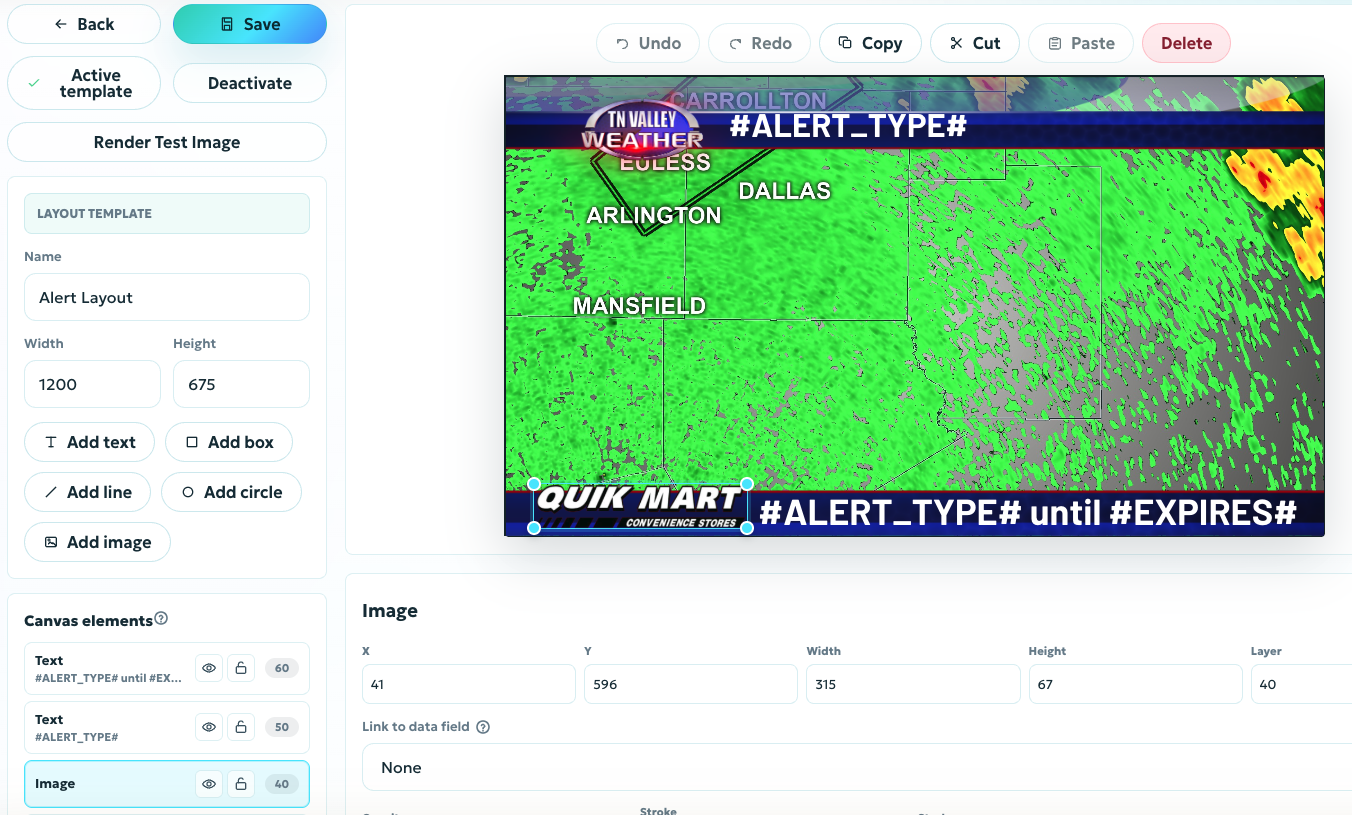
Move, resize, layer, and adjust elements directly on the canvas, just like a familiar image editing program.
Control fonts, images, shapes, colors, sizes, logo placement, sponsor areas, map treatment, and visual hierarchy.
Create distinct layouts for urgent alerts, routine forecasts, radar, tropical updates, and social video.
SmartLayouts let you isolate and emphasize critical storm information so viewers can understand the threat at a glance.
Pull forward details like hail size, wind speeds, gusts, timing, and storm movement, then give each detail the visual weight it deserves.
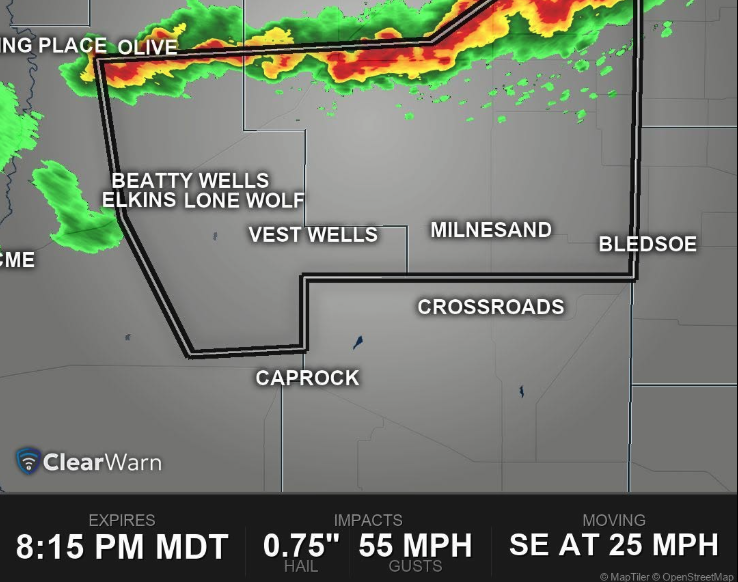
Set headline, body, label, and callout styles with the fonts, weights, styles, and sizes that fit your brand.
Build with your colors, logos, imagery, overlays, map framing, radar treatment, and sponsor zones.
Give urgent warnings, tropical products, watches, and advisories their own visual treatment.
SmartLayouts bring generated weather content into the visual language your audience already recognizes across social, web, and broadcast workflows.
Keep the core brand consistent while changing the composition for forecasts, alerts, radar, and different output formats.
The Asset Library gives you a dedicated place to upload, organize, and manage the fonts and images that define your brand.
Reuse assets across SmartLayouts so every ClearWarn post can match your exact look and feel without rebuilding the same design pieces from scratch.
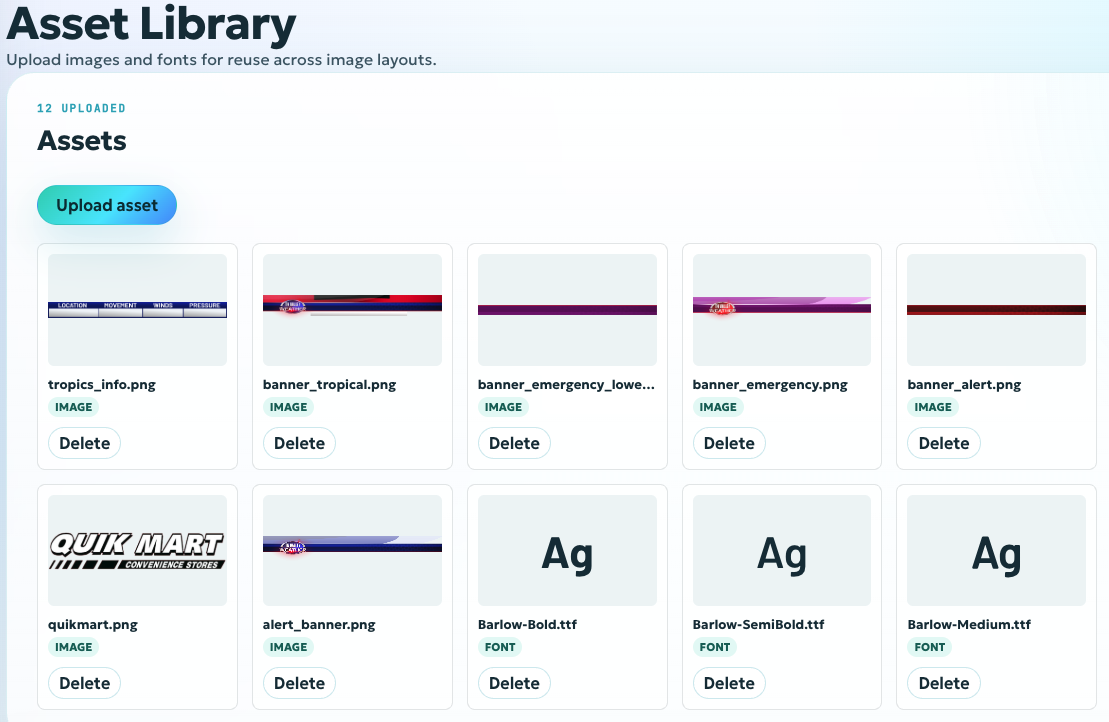
Upload brand fonts and apply them consistently across alert headlines, labels, body text, and callouts.
Manage logos, backgrounds, sponsor graphics, icons, overlays, and other reusable visual elements.
Keep approved assets available across multiple SmartLayouts for maximum fine-tuned control.